This page was automatically translated using the online service DeepL. The translation is intended to aid understanding and may contain language-specific inaccuracies. The official text is written in German. Any discrepancies or differences resulting solely from the translation are not legally binding. In case of doubt, the German version shall prevail. It is recommended to consult a qualified translator in case of doubt.

Ausbildungsstart beim Landkreis Fulda

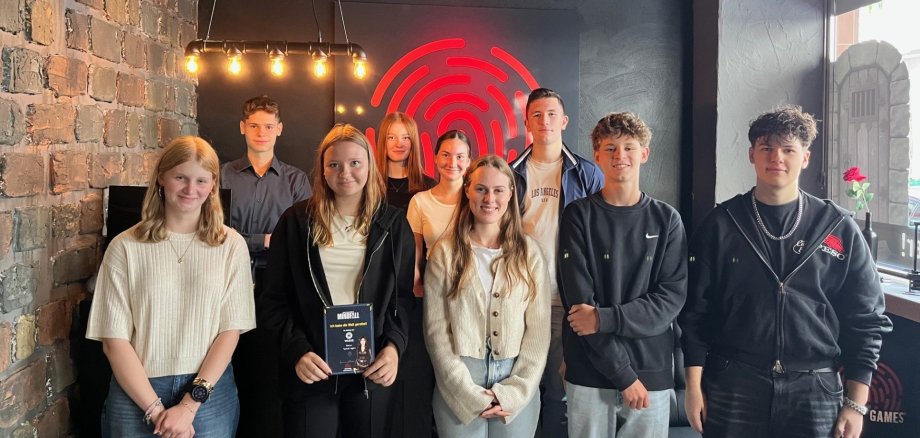
Hallo, wir sind die neuen Azubis!

Unser Ausbildungsstart war am 01.08.2025, wo wir uns alle erst einmal kennengelernt haben. Danach hat sich der Landrat Bernd Woide sowie die Gremien bei uns vorgestellt. Die Verwaltungswirte haben außerdem ihre Urkunden erhalten und den Diensteid geschworen und somit ihren Beamtenstatus bekommen.

Nachdem wir zusammen ein Bild gemacht haben, hat uns der Landrat sein Büro gezeigt. Später machten wir noch eine Ralley durch das Haus und lernten neue Dinge über den Landkreis Fulda. Anhand einer Präsentation wurde uns der Landkreis Fulda nochmals vorgestellt. Wir beendeten den Tag mit einem Spiel. Am Montag starteten wir mit dem formellen Part, wir leisteten viele Unterschriften und erfuhren viele Informationen über den Verlauf der Ausbildung. Kurz danach haben uns die Azubis aus dem 2. Lehrjahr lehrreiche Tipps für die Zukunft gegeben.

Am Nachmittag nahmen wir an einem Escape Game durch die Stadt Fulda teil. Dieser Tag endete mit einem Gruppenfoto und einer Feedbackrunde in der Stadt. Am Dienstag war unser letzter Einführungstag. Wir durften die zahlreichen Außenstellen des Landkreises Fulda kennenlernen und haben viel über die verschiedenen Tätigkeiten der Außenstellen erfahren.

Zusammenfassend waren die letzten drei Tage sehr informativ, aufregend und ein erfolgreicher Einstieg in die kommende Berufswelt. Wir hoffen, dass die nächsten Jahre genauso spannend und lehrreich werden wie die letzten Tage.

Eure neuen Azubis und Eure FOS-Praktikantin

Emilia, Rahel, Lucas, Franziska, Cecile, Jan, Tim, Clemens und Sophie

Help with accessibility

  • General

    We endeavor to make our websites accessible. You can find details on this in our accessibility statement. You can send us suggestions for improvement via our feedback form Report accessibility.

  • Font size

    To adjust the font size, please use the following key combinations:

    Larger

    command
    +

    Smaller

    command

    Larger

    Ctrl
    +

    Smaller

    Ctrl
  • Keyboard navigation

    Use the TAB and SHIFT + TAB keys to navigate to the next or previous links, form fields, and buttons.

    Use the ENTER key to open links and interact with elements.

  • Contrast mode

    Press the following key combination to reduce or increase the contrast:

    Enlarge

    control
    option
    command
    .

    Decrease

    control
    option
    command
    ,
    Note: The shortcuts must be activated in the system settings of the operating system.

    Press the left ALT key + left SHIFT key + PRINT SCREEN to quickly turn high contrast mode on or off.

  • Invert colors

    Press the following key combination to switch the color inversion on and off:

    control
    option
    command
    8
    Note: The shortcuts must be activated in the system settings of the operating system.

    First activate the screen magnifier and then switch the color inversion on and off with the following key combinations:

    1. screen magnifier

    +

    2. invert colors

    Ctrl
    Old
    I
  • Screen magnifier

    Press the following key combinations to use the screen magnifier:

    Switch on/off

    option
    command
    8

    Enlarge view

    option
    command
    =

    Reduce view

    option
    command
    Note: The shortcuts must be activated in the system settings of the operating system.

    Switch on / Enlarge view

    +

    Reduce view