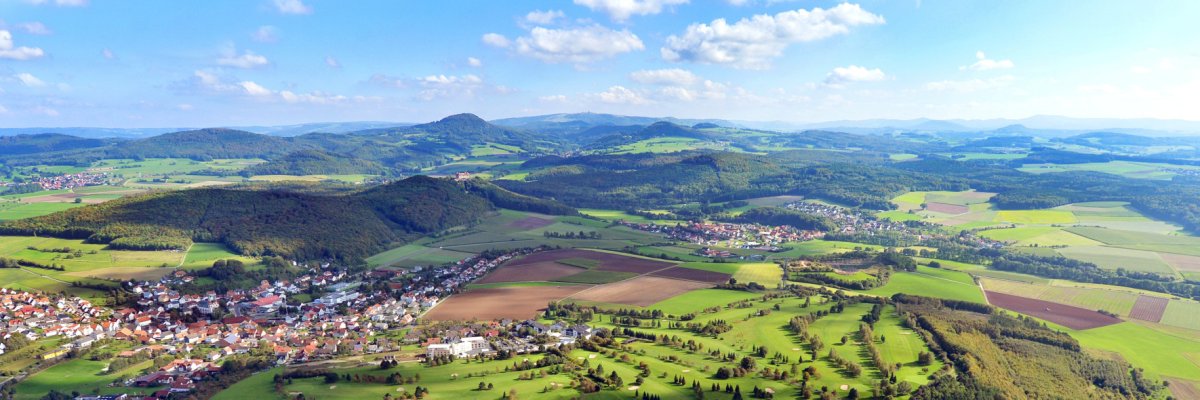
View of the Hofbieber golf course. Photo: Arnulf Müller
This page was automatically translated using the online service DeepL. The translation is intended to aid understanding and may contain language-specific inaccuracies. The official text is written in German. Any discrepancies or differences resulting solely from the translation are not legally binding. In case of doubt, the German version shall prevail. It is recommended to consult a qualified translator in case of doubt.

A County with a Rich History and a Promising Future

The Fulda district has a history rich in tradition dating back more than 200 years, a vibrant present, and a promising future: Life across its 1,380 square kilometers is as diverse as the approximately 222,000 people who call this place home. They are united by a regional identity that has developed over many decades.

The foundation for this is certainly a stable middle class, a rich cultural heritage, an outstanding educational system, and unspoiled nature. All of these are important factors. However, what is truly irreplaceable are the people and the sense of community and shared values. Those who feel connected contribute, get involved, and thereby make the town and the region a home with a high quality of life—for themselves and for others, in both the city and the villages. The great diversity of clubs and the enormous number of volunteers in the Fulda district reflect a strong emotional attachment to the region and a willingness to help ensure that this home remains beautiful and becomes even more so. This human-driven momentum—fueled by caregivers, pioneers, returnees, newcomers, and networks—is arguably the most important driving force for rural communities on a small scale and for democracy as a whole.

Help with accessibility

  • General

    We endeavor to make our websites accessible. You can find details on this in our accessibility statement. You can send us suggestions for improvement via our feedback form Report accessibility.

  • Font size

    To adjust the font size, please use the following key combinations:

    Larger

    command
    +

    Smaller

    command

    Larger

    Ctrl
    +

    Smaller

    Ctrl
  • Keyboard navigation

    Use the TAB and SHIFT + TAB keys to navigate to the next or previous links, form fields, and buttons.

    Use the ENTER key to open links and interact with elements.

  • Contrast mode

    Press the following key combination to reduce or increase the contrast:

    Enlarge

    control
    option
    command
    .

    Decrease

    control
    option
    command
    ,
    Note: The shortcuts must be activated in the system settings of the operating system.

    Press the left ALT key + left SHIFT key + PRINT SCREEN to quickly turn high contrast mode on or off.

  • Invert colors

    Press the following key combination to switch the color inversion on and off:

    control
    option
    command
    8
    Note: The shortcuts must be activated in the system settings of the operating system.

    First activate the screen magnifier and then switch the color inversion on and off with the following key combinations:

    1. screen magnifier

    +

    2. invert colors

    Ctrl
    Old
    I
  • Screen magnifier

    Press the following key combinations to use the screen magnifier:

    Switch on/off

    option
    command
    8

    Enlarge view

    option
    command
    =

    Reduce view

    option
    command
    Note: The shortcuts must be activated in the system settings of the operating system.

    Switch on / Enlarge view

    +

    Reduce view