This page was automatically translated using the online service DeepL. The translation is intended to aid understanding and may contain language-specific inaccuracies. The official text is written in German. Any discrepancies or differences resulting solely from the translation are not legally binding. In case of doubt, the German version shall prevail. It is recommended to consult a qualified translator in case of doubt.

Neue Auszubildende und Studierende

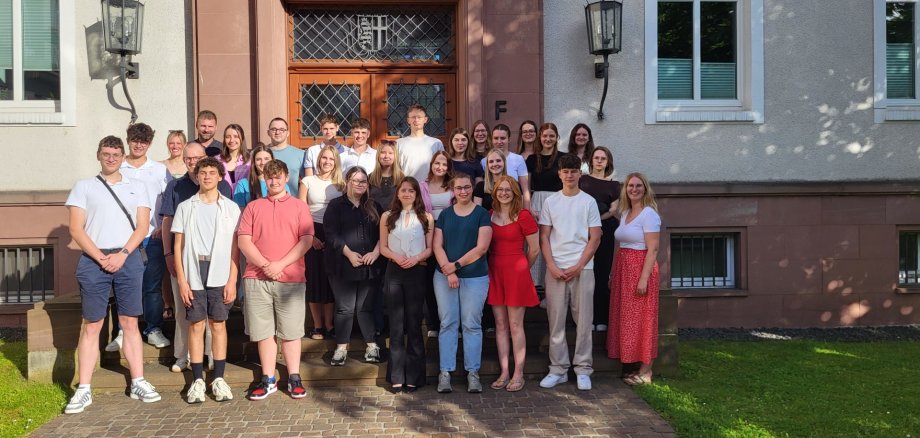
Entspanntes Kennenlernen bei Meet & Greet

Bei bestem Wetter sorgte ein gemeinsames Bingo-Kennenlernspiel für einen gelungenen Einstieg und viele erste Gespräche. Im Anschluss bot das gemeinsame Grillen die Möglichkeit, sich intensiv über die verschiedenen Ausbildungs- und Studiengänge auszutauschen. Zudem konnten bereits erste Kontakte zu den aktiven Nachwuchskräften des Landkreises geknüpft werden.

Insgesamt starten im Jahr 2026 neun Auszubildende, ein FOS-Praktikant und eine FOS-Praktikantin sowie 20 Studierende ihre berufliche Zukunft beim Landkreis Fulda. Das Meet & Greet war damit ein gelungener Auftakt und eine schöne Einstimmung auf den bevorstehenden Ausbildungs- und Studienbeginn.

Der Landkreis Fulda freut sich sehr darauf, die neuen Nachwuchskräfte willkommen zu heißen und gemeinsam in eine erfolgreiche Ausbildungs- und Studienzeit zu starten.


Help with accessibility

  • General

    We endeavor to make our websites accessible. You can find details on this in our accessibility statement. You can send us suggestions for improvement via our feedback form Report accessibility.

  • Font size

    To adjust the font size, please use the following key combinations:

    Larger

    command
    +

    Smaller

    command

    Larger

    Ctrl
    +

    Smaller

    Ctrl
  • Keyboard navigation

    Use the TAB and SHIFT + TAB keys to navigate to the next or previous links, form fields, and buttons.

    Use the ENTER key to open links and interact with elements.

  • Contrast mode

    Press the following key combination to reduce or increase the contrast:

    Enlarge

    control
    option
    command
    .

    Decrease

    control
    option
    command
    ,
    Note: The shortcuts must be activated in the system settings of the operating system.

    Press the left ALT key + left SHIFT key + PRINT SCREEN to quickly turn high contrast mode on or off.

  • Invert colors

    Press the following key combination to switch the color inversion on and off:

    control
    option
    command
    8
    Note: The shortcuts must be activated in the system settings of the operating system.

    First activate the screen magnifier and then switch the color inversion on and off with the following key combinations:

    1. screen magnifier

    +

    2. invert colors

    Ctrl
    Old
    I
  • Screen magnifier

    Press the following key combinations to use the screen magnifier:

    Switch on/off

    option
    command
    8

    Enlarge view

    option
    command
    =

    Reduce view

    option
    command
    Note: The shortcuts must be activated in the system settings of the operating system.

    Switch on / Enlarge view

    +

    Reduce view