This page was automatically translated using the online service DeepL. The translation is intended to aid understanding and may contain language-specific inaccuracies. The official text is written in German. Any discrepancies or differences resulting solely from the translation are not legally binding. In case of doubt, the German version shall prevail. It is recommended to consult a qualified translator in case of doubt.

A Look Back at the Summer Vacation Activities

Available Spots During Fall Break

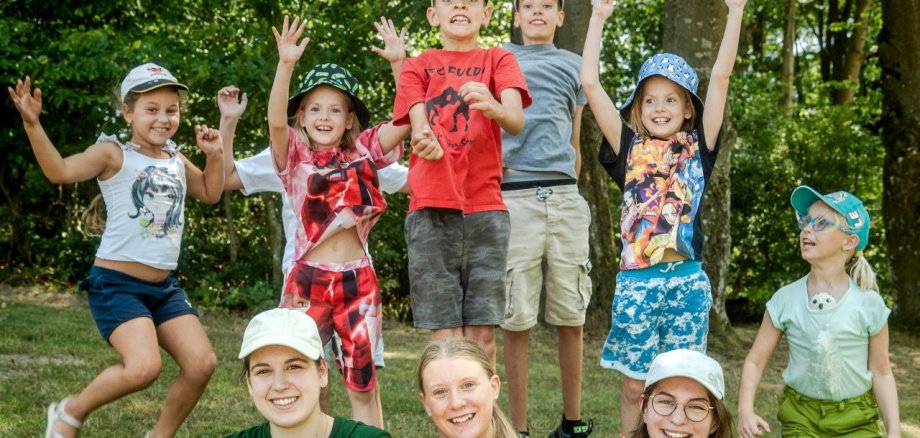
Among the highlights of the summer break was, for example, the German-Polish Youth Exchange, which took place in Munich this year. Sponsored by the Youth Education Center, the young people spent time with a Polish youth group. Together, they explored the Bavarian capital and its cultural offerings—even though they could only communicate using “gestures and body language.” Next year, the return visit to Poland is on the agenda. Another popular event was the educational trip to Prague, sponsored by the Youth Education Center, during which the young people independently explored the “Golden City” with its cultural highlights and landmarks such as Prague Castle, Charles Bridge, and the Astronomical Clock. The winners of this year’s Creative Competition followed in the footsteps of gods and myths in Greece. The young people stayed in bungalows right by the sea near the port city of Thessaloniki and enjoyed the sunsets over the Aegean Sea from “their” beach. Younger children embarked on a medieval adventure at Werenfels Castle, where they experienced adventures and games centered on the theme of “knights, dragons, and princesses” throughout the castle grounds. All participants in the surf camp on the Baltic Sea passed their surfing certification. Whether surfing, canoeing, or stand-up paddleboarding—the dedicated team members from the district made sure there was absolutely no chance of boredom.

Fall Break

During this year’s fall break, from October 5 to 9, a sports camp titled “Let’s Get Active” will once again be offered, where children and teens can try a new sport every day. In collaboration with local sports clubs, the program features plenty of physical activity and fun, as well as healthy meals. An exciting educational week featuring an expedition to the Rhön Star Park, sponsored by the Youth Education—

The event will take place from October 12 to 16. At “Mir doch Schnuppe – Lights Out, Stars On!”, children and teens can experience the Rhön night sky at its most beautiful and produce their own film. Registration for all vacation programs is available at www.bildung-freizeit.de.


Contact us

No departments found.


Help with accessibility

  • General

    We endeavor to make our websites accessible. You can find details on this in our accessibility statement. You can send us suggestions for improvement via our feedback form Report accessibility.

  • Font size

    To adjust the font size, please use the following key combinations:

    Larger

    ⌘command
    +

    Smaller

    ⌘command
    –

    Larger

    Ctrl
    +

    Smaller

    Ctrl
    –
  • Keyboard navigation

    Use the TAB and SHIFT + TAB keys to navigate to the next or previous links, form fields, and buttons.

    Use the ENTER key to open links and interact with elements.

  • Contrast mode

    Press the following key combination to reduce or increase the contrast:

    Enlarge

    ⌃control
    ⌥option
    ⌘command
    .

    Decrease

    ⌃control
    ⌥option
    ⌘command
    ,
    Note: The shortcuts must be activated in the system settings of the operating system.

    Press the left ALT key + left SHIFT key + PRINT SCREEN to quickly turn high contrast mode on or off.

  • Invert colors

    Press the following key combination to switch the color inversion on and off:

    ⌃control
    ⌥option
    ⌘command
    8
    Note: The shortcuts must be activated in the system settings of the operating system.

    First activate the screen magnifier and then switch the color inversion on and off with the following key combinations:

    1. screen magnifier

    +

    2. invert colors

    Ctrl
    Old
    I
  • Screen magnifier

    Press the following key combinations to use the screen magnifier:

    Switch on/off

    ⌥option
    ⌘command
    8

    Enlarge view

    ⌥option
    ⌘command
    =

    Reduce view

    ⌥option
    ⌘command
    –
    Note: The shortcuts must be activated in the system settings of the operating system.

    Switch on / Enlarge view

    +

    Reduce view

    –