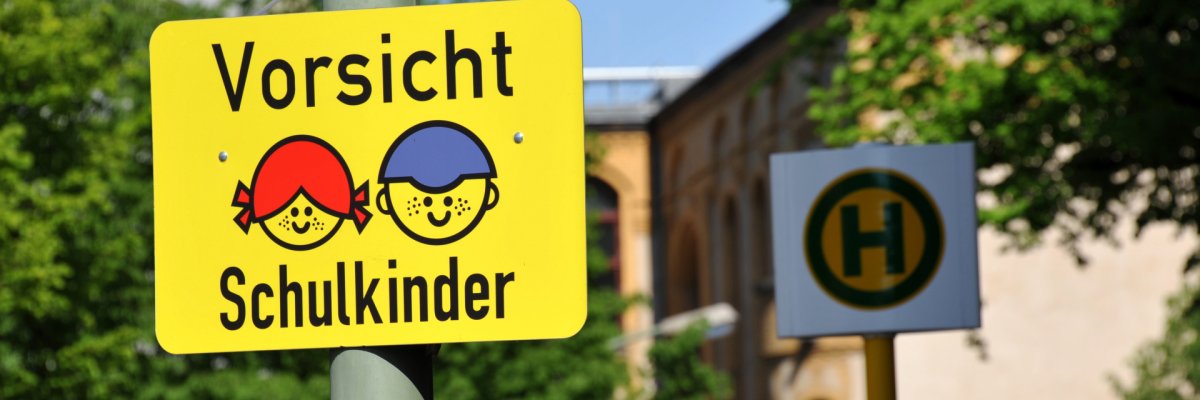
Safety on the Way to School
Children are among the most vulnerable road users and therefore deserve our special consideration. Children starting school are particularly at risk in traffic. Traffic accidents often occur because children are not yet able to cope with the demands of today’s traffic conditions. Although a safe route to school is an integral part of the school curriculum, children should be taught how to navigate it from an early age. Schools develop route plans, and bus monitors, student crossing guards, and parent crossing guards may be assigned. These route plans are available for review at the respective school.
School Bus Monitors
The “School Bus Monitors” project is a pilot project of the county. The participating students have volunteered to work in partnership with the school, the police, public transportation agencies, and the Schools Support Service to maintain order on the buses and as students board and exit the buses.
Since school bus monitors were introduced, there have been fewer conflicts among students, fewer incidents of physical altercations on the buses, less pushing and shoving, and a reduced risk of injury. Property damage and acts of violence on the buses have been minimized, and safety on the way to school has increased. The school bus monitors serve as points of contact for the students riding the bus. Their role is to mediate between conflicting parties during the ride without resorting to physical force.
Students who volunteer for this role receive training from the school, the police, and public transportation authorities and are awarded a certificate. The training covers: de-escalation techniques, meditation, communication skills, and teamwork. This certificate can also be included with applications for an apprenticeship. The requirements are: voluntary participation, use of public transportation or the school bus, a minimum age of 13, students with strong social skills, at least an average academic performance level, and consent from the homeroom teacher and parents.
The school bus monitors are supported by the constant presence of teachers who serve as points of contact at the school and through feedback sessions. Anyone interested in becoming a school bus monitor can contact the appropriate teacher at the school.Traffic Safety Education and the Bicycle License
The Youth Traffic School is part of the East Hesse Police Headquarters. Elementary school students receive bicycle safety training and are awarded a bicycle safety certificate after passing the test.
As part of the life skills curriculum in the 4th grade, students receive theoretical and practical bicycle training from the school and the police, which is completed with the awarding of a bicycle safety certificate as proof of participation.
Fulda Regional Transportation Service
Fulda District Youth Traffic School, Brückenstraße
63, 6100
Petersberg, Phone: 0661 96956-61 or -62
, Email: jvs-lkfd.ppoh@polizei.hessen.de- Fulda Youth Traffic School
Brückenstraße 6
36100 Petersberg
Phone: 0661 96956-63 or -64
Email: jvs-fd.ppoh@polizei.hessen.de