This page was automatically translated using the online service DeepL. The translation is intended to aid understanding and may contain language-specific inaccuracies. The official text is written in German. Any discrepancies or differences resulting solely from the translation are not legally binding. In case of doubt, the German version shall prevail. It is recommended to consult a qualified translator in case of doubt.

Spannende erste Tage

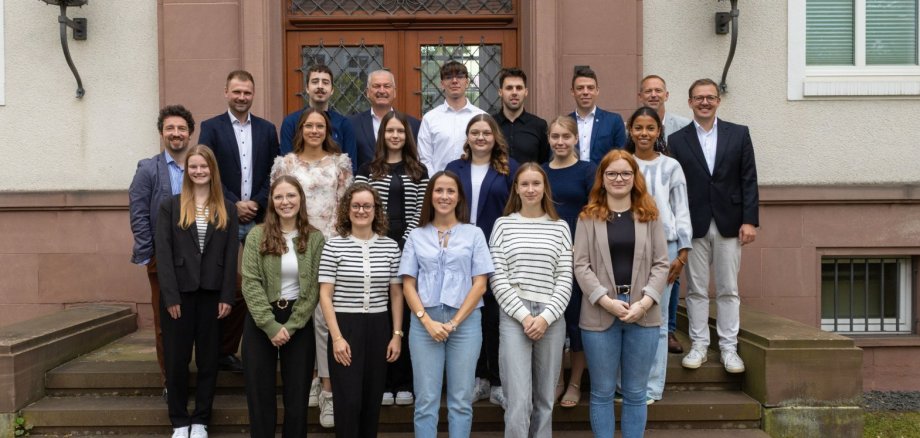
13 neue Studierende beim Landkreis Fulda

Landrat Bernd Woide begrüßte die Studierenden und Studierenden an ihrem ersten Tag: „Es wartet eine spannende Zeit auf Sie. Seien Sie neugierig, stellen Sie Fragen und bleiben Sie interessiert. Sie arbeiten in einer digitalen Verwaltung, die viel zu bieten hat. Ich wünsche Ihnen einen guten Start.“ Acht der jungen Frauen und Männer absolvieren seit dem 1. September den Studiengang Public Administration, jeweils zwei BASA (Soziale Arbeit) und BASS (Sozialverwaltungswirte) sowie eine Person Digitale Verwaltung.

Auch Ausbildungsleiter Sascha Rühl, der Personalrat, die Schwerbehindertenvertretung, der Fachdienst Personal sowie die Jugend- und Auszubildendenvertretung (JAV) hießen die neuen Kolleginnen und Kollegen herzlich willkommen. Vize-Landrat Frederik Schmitt nahm den neun Beamtinnen und Beamten auf Probe den Diensteid ab und wünschte Ihnen alles Gute für Ihre Ausbildung „Sie können sich auf eine spannende Zeit mit Einblicken in die verschiedensten Bereiche freuen“, so Schmitt.

Neben einer Rallye durch das Landratsamt wartete am ersten Tag eine thematische Einführung und das gegenseitige Kennenlernen auf die neuen Studierenden. An den anderen Tagen der ersten Woche lernten sie unter anderem die zahlreichen Außenstellen der Kreisverwaltung bei einer Außenstellenrundfahrt kennen.

Die neuen Studierenden

B.A. Public Administration – gehobener Dienst
Pauline Brähler, Frederik Gilbert, Christina Gottfried, Luisa Henkel, Benedikt Krieg, Helena Most, Stella Mott und Leeanne Waiß

B.A. Digitale Verwaltung
Lukas Flügel

B.A. Soziale Arbeit (BASA)
Sofia Geisler und Rica Rimmel

B.A. Soziale Sicherung & Sozialverwaltungswirtschaft
Joeline Herberich und Rehana Tchassona

Contact us

%count% items found in total.


Help with accessibility

  • General

    We endeavor to make our websites accessible. You can find details on this in our accessibility statement. You can send us suggestions for improvement via our feedback form Report accessibility.

  • Font size

    To adjust the font size, please use the following key combinations:

    Larger

    command
    +

    Smaller

    command

    Larger

    Ctrl
    +

    Smaller

    Ctrl
  • Keyboard navigation

    Use the TAB and SHIFT + TAB keys to navigate to the next or previous links, form fields, and buttons.

    Use the ENTER key to open links and interact with elements.

  • Contrast mode

    Press the following key combination to reduce or increase the contrast:

    Enlarge

    control
    option
    command
    .

    Decrease

    control
    option
    command
    ,
    Note: The shortcuts must be activated in the system settings of the operating system.

    Press the left ALT key + left SHIFT key + PRINT SCREEN to quickly turn high contrast mode on or off.

  • Invert colors

    Press the following key combination to switch the color inversion on and off:

    control
    option
    command
    8
    Note: The shortcuts must be activated in the system settings of the operating system.

    First activate the screen magnifier and then switch the color inversion on and off with the following key combinations:

    1. screen magnifier

    +

    2. invert colors

    Ctrl
    Old
    I
  • Screen magnifier

    Press the following key combinations to use the screen magnifier:

    Switch on/off

    option
    command
    8

    Enlarge view

    option
    command
    =

    Reduce view

    option
    command
    Note: The shortcuts must be activated in the system settings of the operating system.

    Switch on / Enlarge view

    +

    Reduce view