This page was automatically translated using the online service DeepL. The translation is intended to aid understanding and may contain language-specific inaccuracies. The official text is written in German. Any discrepancies or differences resulting solely from the translation are not legally binding. In case of doubt, the German version shall prevail. It is recommended to consult a qualified translator in case of doubt.

Landkreis Fulda lädt Interessierte ein

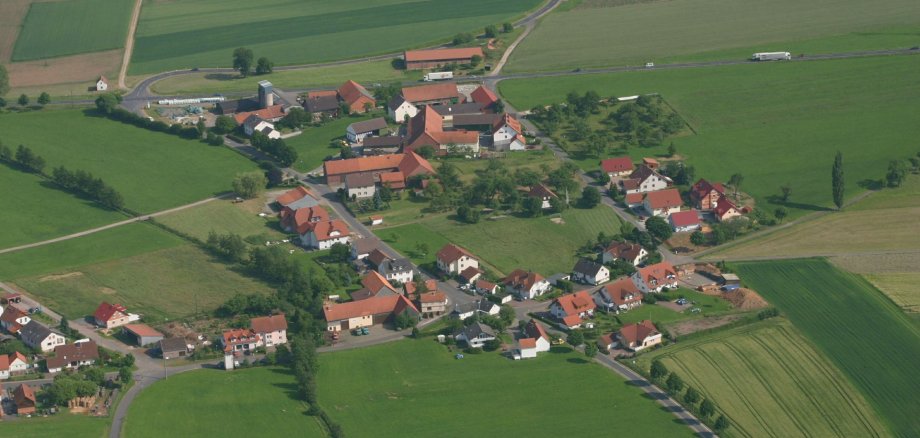
Infoveranstaltung zur neuen Runde „Unser Dorf hat Zukunft“

Im Mittelpunkt des Dorfwettbewerbs stehen innovative Ideen und Projekte, die das Miteinander im Ort attraktiv und lebenswert gestalten sowie das Engagement der Dorfgemeinschaften insgesamt. Die Teilnahme dient der eigenen Standortbestimmung: Wo liegen die Stärken des Dorfes? Was wurde bislang erreicht? Welche neuen Aktivitäten kann man anschieben?

Für einen ersten Informationsaustausch lädt der Landkreis zur Auftaktveranstaltung am Mittwoch, 23. September, um 19 Uhr ins Landratsamt Fulda, Wörthstraße 15, 36037 Fulda, in die Sitzungsräume 1+2 ein. Dabei soll über die aktuellen Ziele, über Schwerpunkte, Neuerungen und über den Verfahrensablauf des Wettbewerbes informiert werden.

Beim Wettbewerb „Unser Dorf hat Zukunft" ist der Landkreis Fulda hessenweit regelmäßig gut vertreten. Das zeigt, dass die hiesigen Dorfgemeinschaften aktiv sind und sich viele Menschen für die Zukunft ihres Ortes engagieren. Denn dadurch werden auch Impulse für die weitere Entwicklung gegeben.

Der Landkreis Fulda wird den traditionsreichen Wettbewerb in bewährter Form durchführen, hofft wieder auf eine rege Resonanz und unterstützt dieses Engagement: Alle Orte, die sich für eine Teilnahme interessieren, erhalten durch den Landkreis eine intensive Beratung und Begleitung mit Dorfbegehungen sowie bei Bürgerinfoveranstaltungen.

Für die Vorbereitung der Veranstaltung wird um Rückmeldung bis zum 21. September 2026 mit der Anzahl der teilnehmenden Personen per E-Mail an anke.schlosser@landkreis-fulda.de gebeten.

Contact us

No departments found.


Help with accessibility

  • General

    We endeavor to make our websites accessible. You can find details on this in our accessibility statement. You can send us suggestions for improvement via our feedback form Report accessibility.

  • Font size

    To adjust the font size, please use the following key combinations:

    Larger

    command
    +

    Smaller

    command

    Larger

    Ctrl
    +

    Smaller

    Ctrl
  • Keyboard navigation

    Use the TAB and SHIFT + TAB keys to navigate to the next or previous links, form fields, and buttons.

    Use the ENTER key to open links and interact with elements.

  • Contrast mode

    Press the following key combination to reduce or increase the contrast:

    Enlarge

    control
    option
    command
    .

    Decrease

    control
    option
    command
    ,
    Note: The shortcuts must be activated in the system settings of the operating system.

    Press the left ALT key + left SHIFT key + PRINT SCREEN to quickly turn high contrast mode on or off.

  • Invert colors

    Press the following key combination to switch the color inversion on and off:

    control
    option
    command
    8
    Note: The shortcuts must be activated in the system settings of the operating system.

    First activate the screen magnifier and then switch the color inversion on and off with the following key combinations:

    1. screen magnifier

    +

    2. invert colors

    Ctrl
    Old
    I
  • Screen magnifier

    Press the following key combinations to use the screen magnifier:

    Switch on/off

    option
    command
    8

    Enlarge view

    option
    command
    =

    Reduce view

    option
    command
    Note: The shortcuts must be activated in the system settings of the operating system.

    Switch on / Enlarge view

    +

    Reduce view