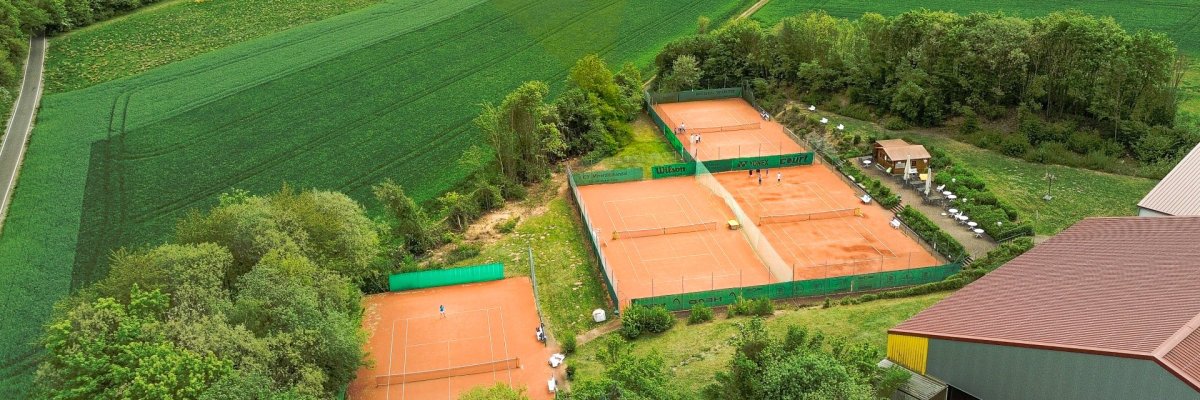
Tennisplätze in Künzell. Foto Sebastian Mannert
This page was automatically translated using the online service DeepL. The translation is intended to aid understanding and may contain language-specific inaccuracies. The official text is written in German. Any discrepancies or differences resulting solely from the translation are not legally binding. In case of doubt, the German version shall prevail. It is recommended to consult a qualified translator in case of doubt.

Förderung für Jugend und Sport im Landkreis Fulda

Der Landkreis Fulda misst der Arbeit der Vereine sowie der Förderung von Kindern und Jugendlichen und ehrenamtlichem Engagement eine hohe Bedeutung bei. Zur Anerkennung und Unterstützung dieses Engagements stellt der Landkreis finanzielle Zuschüsse für verschiedene Maßnahmen der Vereins- und Jugendarbeit zur Verfügung.

Gefördert werden insbesondere Maßnahmen in folgenden Bereichen:

  • Kinder- und Jugendarbeit

    Fahrten, Freizeiten, Zeltlager, Bildungsmaßnahmen, Ferienspiele oder Ferien-Aktiv-Wochen sowie der Neu-, Um- oder Ausbau von Jugendräumen. Den Beihilfeantrag für Kinder- und Jugendarbeit finden Sie im Download-Bereich.

  • Sportförderung

    Bau, Sanierung und Modernisierung von Sportstätten, die Anschaffung von Sportgeräten und Sportstättenpflegegeräten sowie die Teilnahme an überregionalen Wettkämpfen.

  • Musik- und Gesangsvereine

    Beschaffung von Musikinstrumenten oder Noten, Lehrgänge und Seminare sowie die Teilnahme an überregionalen Musikveranstaltungen.

Weitere Informationen zu Fördervoraussetzungen, Förderhöhen und zum Antragsverfahren finden Sie in der Förderrichtlinie. Bei Fragen können Sie sich an die Vereins- und Förderlotsin wenden.


Help with accessibility

  • General

    We endeavor to make our websites accessible. You can find details on this in our accessibility statement. You can send us suggestions for improvement via our feedback form Report accessibility.

  • Font size

    To adjust the font size, please use the following key combinations:

    Larger

    command
    +

    Smaller

    command

    Larger

    Ctrl
    +

    Smaller

    Ctrl
  • Keyboard navigation

    Use the TAB and SHIFT + TAB keys to navigate to the next or previous links, form fields, and buttons.

    Use the ENTER key to open links and interact with elements.

  • Contrast mode

    Press the following key combination to reduce or increase the contrast:

    Enlarge

    control
    option
    command
    .

    Decrease

    control
    option
    command
    ,
    Note: The shortcuts must be activated in the system settings of the operating system.

    Press the left ALT key + left SHIFT key + PRINT SCREEN to quickly turn high contrast mode on or off.

  • Invert colors

    Press the following key combination to switch the color inversion on and off:

    control
    option
    command
    8
    Note: The shortcuts must be activated in the system settings of the operating system.

    First activate the screen magnifier and then switch the color inversion on and off with the following key combinations:

    1. screen magnifier

    +

    2. invert colors

    Ctrl
    Old
    I
  • Screen magnifier

    Press the following key combinations to use the screen magnifier:

    Switch on/off

    option
    command
    8

    Enlarge view

    option
    command
    =

    Reduce view

    option
    command
    Note: The shortcuts must be activated in the system settings of the operating system.

    Switch on / Enlarge view

    +

    Reduce view