This page was automatically translated using the online service DeepL. The translation is intended to aid understanding and may contain language-specific inaccuracies. The official text is written in German. Any discrepancies or differences resulting solely from the translation are not legally binding. In case of doubt, the German version shall prevail. It is recommended to consult a qualified translator in case of doubt.

Training Completed

Five new mentors are helping to facilitate integration

Integration guides help immigrants find their way in their new environment and avoid misunderstandings; they accompany them to government offices or doctor’s appointments, and encourage them to learn German. They offer assistance with everyday life, enrolling in preschool and school, and finding housing.

Key areas of focus in the three-month basic training program included communication, intercultural competence, knowledge of government agencies, reflection on one’s own role, and familiarization with local networks and partner organizations. The health navigators also received training on additional topics such as the German healthcare system, migration and health, mental health, and chronic illnesses.

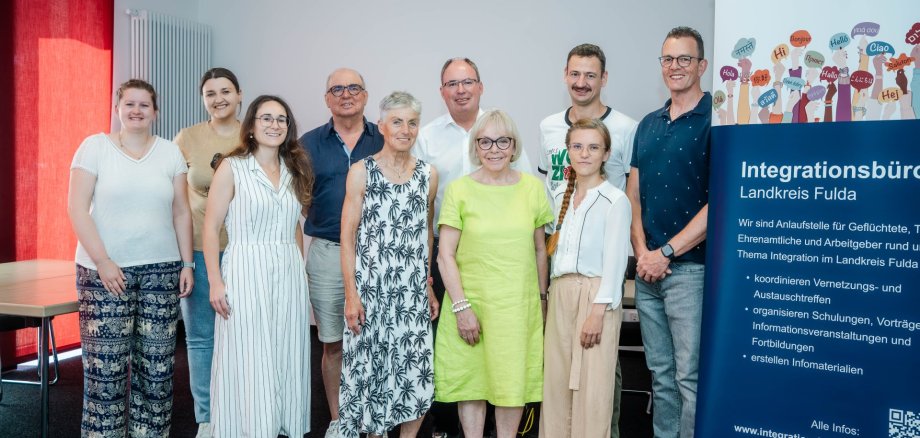
The following individuals have completed the basic training to become integration guides:

1. Ingrid
Früchtl 2. Christoph
Kümpel 3. Bernhard Sitzmann

The following individuals have completed the basic training to become health navigators:

1. Nadiia
Yurevych 2. Dagmar Zoth

“I want to support people with an immigrant background and help them integrate more easily. Learning German plays a key role in this,” says Bernhard Sitzmann, a newly appointed integration guide, describing his motivation. The retired German teacher is planning, together with integration guide Ingrid Früchtl, to offer a language café where immigrants can learn German. Health guide Nadiia Yurevych herself fled Ukraine, where she worked as a doctor: “I now want to help other people with similar experiences settle into life in Germany. Through this training program, I was able to further my education in the field of health care in Germany.”

The state-wide program for volunteer integration guides has been in place in the Fulda district since 2016. The training is supported and funded through the Hessian WIR state program by the Hessian Center of Excellence for Diversity.

The mentors are coordinated by the WIR Coordination Team at the Fulda District Integration Office. The Integration Office organizes regular joint reflection and networking meetings to foster communication among the mentors and support them with any questions or issues they may have. Currently, there are about 20 active mentors.

Good to know:

The Integration Office is the central point of contact for refugees, volunteers, organizations, and employers in the Fulda district. For more information, please visit:


Contact us

No departments found.


Help with accessibility

  • General

    We endeavor to make our websites accessible. You can find details on this in our accessibility statement. You can send us suggestions for improvement via our feedback form Report accessibility.

  • Font size

    To adjust the font size, please use the following key combinations:

    Larger

    command
    +

    Smaller

    command

    Larger

    Ctrl
    +

    Smaller

    Ctrl
  • Keyboard navigation

    Use the TAB and SHIFT + TAB keys to navigate to the next or previous links, form fields, and buttons.

    Use the ENTER key to open links and interact with elements.

  • Contrast mode

    Press the following key combination to reduce or increase the contrast:

    Enlarge

    control
    option
    command
    .

    Decrease

    control
    option
    command
    ,
    Note: The shortcuts must be activated in the system settings of the operating system.

    Press the left ALT key + left SHIFT key + PRINT SCREEN to quickly turn high contrast mode on or off.

  • Invert colors

    Press the following key combination to switch the color inversion on and off:

    control
    option
    command
    8
    Note: The shortcuts must be activated in the system settings of the operating system.

    First activate the screen magnifier and then switch the color inversion on and off with the following key combinations:

    1. screen magnifier

    +

    2. invert colors

    Ctrl
    Old
    I
  • Screen magnifier

    Press the following key combinations to use the screen magnifier:

    Switch on/off

    option
    command
    8

    Enlarge view

    option
    command
    =

    Reduce view

    option
    command
    Note: The shortcuts must be activated in the system settings of the operating system.

    Switch on / Enlarge view

    +

    Reduce view