Foto: Uwe Barth
This page was automatically translated using the online service DeepL. The translation is intended to aid understanding and may contain language-specific inaccuracies. The official text is written in German. Any discrepancies or differences resulting solely from the translation are not legally binding. In case of doubt, the German version shall prevail. It is recommended to consult a qualified translator in case of doubt.

Vertragsnaturschutz: HALM

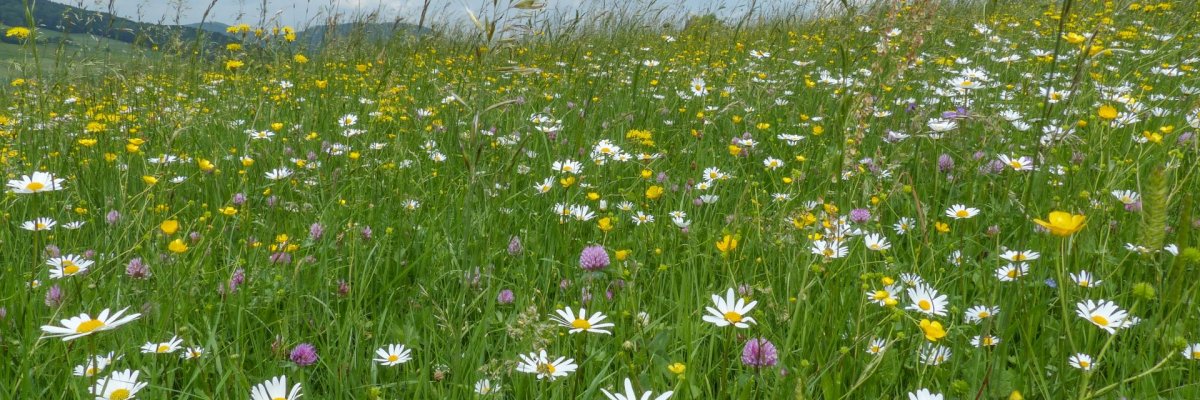
Das Hessische Programm für Agrarumwelt- und Landschaftspflege-Maßnahmen (HALM) unterstützt aktive Landwirtinnen und Landwirte dabei, ihre Flächen besonders umwelt- und naturfreundlich zu bewirtschaften. Mit den geförderten Maßnahmen werden die biologische Vielfalt, sauberes Wasser, gesunde (fruchtbare) Böden und ein stabiles Klima gefördert. Gleichzeitig tragen sie zum Erhalt unserer vielfältigen Kulturlandschaft bei.

  • Welche Maßnahmen werden gefördert?

    HALM umfasst verschiedene Angebote, mit denen landwirtschaftliche Betriebe einen Beitrag zum Natur- und Umweltschutz leisten können. Dazu gehören unter anderem:

    • ökologischer Landbau
    • besonders nachhaltige Anbauverfahren im Ackerbau (z. B. vielfältige Kulturen, mehrjährige Blühflächen)
    • Pflege und Extensivierung von Grünland (z. B. Einschränkung / Verzicht auf Dünge- und Pflanzenschutzmittel, späte Mahd-Termine)
    • Maßnahmen im Bereich Dauerkulturen (z. B. Pheromoneinsatz im Weinbau, Erhaltung von Streuobstbeständen)
    • Arten- und Biotopschutz (z. B. tierschonende Mahd, sichere Schaf- und Ziegenbeweidung)
    • Erhalt gefährdeter Nutztierrassen (z. B. Rotes Höhenvieh, Rhönschaf)

    Eine vollständige Übersicht aller Maßnahmen findet man auf der Webseite des Hessischen Ministeriums für Landwirtschaft.

  • Wer kann einen Antrag stellen?

    Antragsberechtigt sind:

    • Inhaberinnen und Inhaber landwirtschaftlicher Betriebe
    • Betriebe des Weinbaus
    • Zusammenschlüsse mehrerer Betriebsinhaber, die überwiegend landwirtschaftliche oder weinbauliche Flächen bewirtschaften

    Voraussetzung ist, dass der Betrieb die Kriterien eines „aktiven Betriebsinhabers“ erfüllt. Weitere Details stellt die Zahlstelle WIBank auf ihrer Webseite bereit.

  • Wie kann man an den Maßnahmen teilnehmen?

    Anträge können jedes Jahr bis zum 1. Oktober über das Agrarportal Hessen gestellt werden. Die Auswahl der Flächen erfolgt über eine Prioritätenliste, die Verpflichtungen beginnen dann im folgenden Jahr.


Help with accessibility

  • General

    We endeavor to make our websites accessible. You can find details on this in our accessibility statement. You can send us suggestions for improvement via our feedback form Report accessibility.

  • Font size

    To adjust the font size, please use the following key combinations:

    Larger

    command
    +

    Smaller

    command

    Larger

    Ctrl
    +

    Smaller

    Ctrl
  • Keyboard navigation

    Use the TAB and SHIFT + TAB keys to navigate to the next or previous links, form fields, and buttons.

    Use the ENTER key to open links and interact with elements.

  • Contrast mode

    Press the following key combination to reduce or increase the contrast:

    Enlarge

    control
    option
    command
    .

    Decrease

    control
    option
    command
    ,
    Note: The shortcuts must be activated in the system settings of the operating system.

    Press the left ALT key + left SHIFT key + PRINT SCREEN to quickly turn high contrast mode on or off.

  • Invert colors

    Press the following key combination to switch the color inversion on and off:

    control
    option
    command
    8
    Note: The shortcuts must be activated in the system settings of the operating system.

    First activate the screen magnifier and then switch the color inversion on and off with the following key combinations:

    1. screen magnifier

    +

    2. invert colors

    Ctrl
    Old
    I
  • Screen magnifier

    Press the following key combinations to use the screen magnifier:

    Switch on/off

    option
    command
    8

    Enlarge view

    option
    command
    =

    Reduce view

    option
    command
    Note: The shortcuts must be activated in the system settings of the operating system.

    Switch on / Enlarge view

    +

    Reduce view