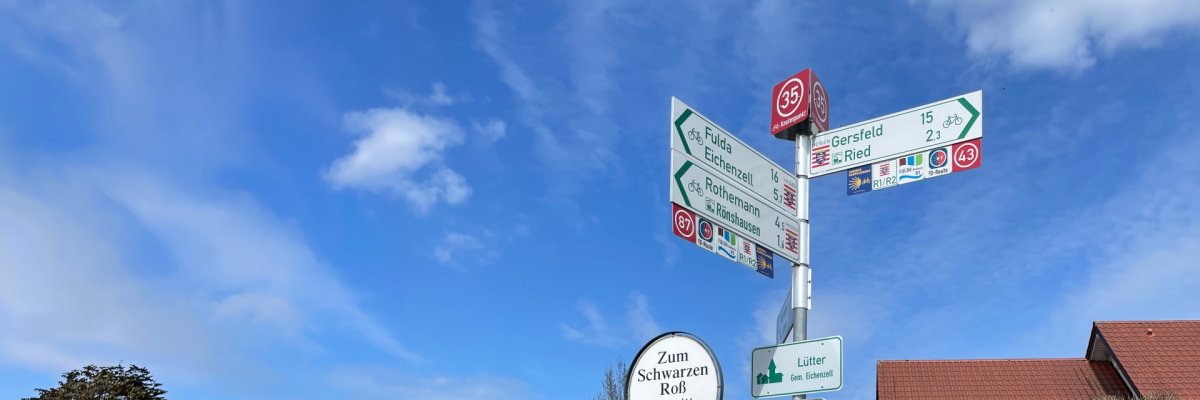
The Fulda District is committed to sustainably improving conditions for cyclists and addressing the growing importance of bicycle traffic. The foundation for this is a unified network of routes for both daily commutes and recreational travel, as well as consistent, continuous signage that makes the bicycle network clearly recognizable and easy to use.
The goal is to ensure the long-term quality of the cycling infrastructure and to continuously improve it—to create attractive, safe, and well-connected bike paths throughout the county.
Hubs and Nodes System
A 1,200-kilometer-long junction system has been established and installed in the Fulda district as a pilot project.
The junction system makes it possible to “cycle by numbers.” It is used, for example, in the Netherlands, Belgium, and other tourist regions, and makes it easier to plan bike tours.
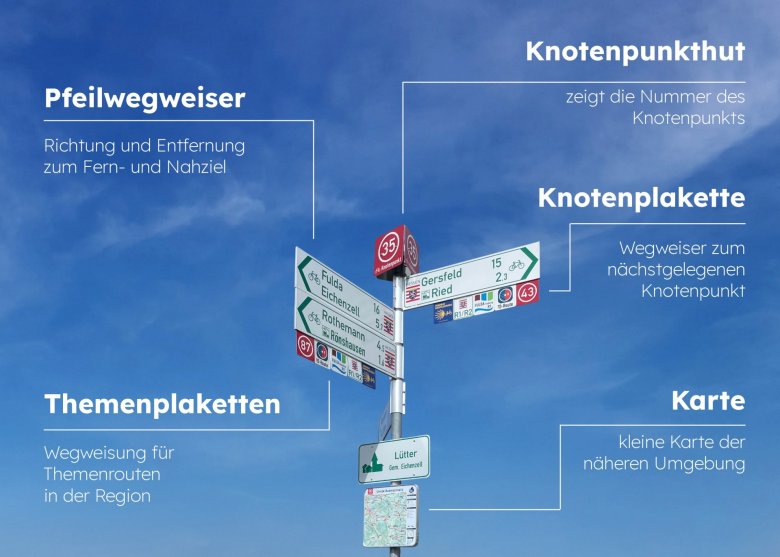
The junction signage ensures that routes can be planned flexibly and easily, even without local knowledge. Each junction is identified by a number, which is displayed above the signposts in the form of a so-called “junction cap.” In addition, cyclists will find an information board at each of these 260 points featuring a map that shows either the entire bike path network or the immediate surroundings.
To plan your route, simply write down the numbers you want in the correct order—and then you can cycle from number to number. Small signs below the directional signs indicate the direction to the next number.
The installation of the approximately 3,300 plaques beneath the signposts and the 260 junction markers on the posts is nearly complete. By early fall, about 60 large-format signs and approximately 200 smaller signs will be added to help with on-site navigation.
Bicycle Traffic Plan for the Fulda District
In 2018, the County Council approved the development of a county-wide bicycle traffic plan (see related links), which is intended to connect all cities, municipalities, and towns and neighborhoods with more than 500 residents. The plan was developed from January 2019 to March 2020 by the Frankfurt-based planning firm Radverkehr-Konzept (RV-K). This was followed by the creation of a comprehensive signage plan, which was subsequently implemented. In addition, the junction system was introduced in 2026, which serves as a pilot project throughout Hesse.
Funded by the state guidelines for promoting local mobility, the plan’s prioritized action program is being implemented step by step in collaboration with the 23 municipalities in the district. The result is a target cycling network approximately 1,800 km long, which will ensure the future infrastructure in the Fulda district.
To support the implementation of new bike paths, the Fulda district established the position of local mobility coordinator at the end of 2024. This coordinator oversees both the planning and maintenance of the bike paths and the upkeep and updating of the signage.