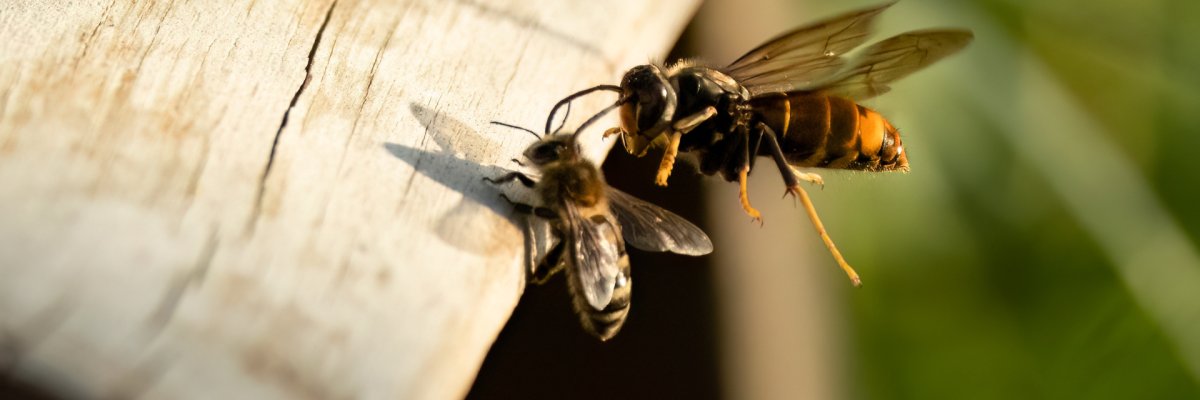
Asian Hornet: Report Sightings
The Asian hornet (Vespa velutina) is believed to have been introduced to southwestern France via imported goods and has been spreading in Hesse since 2019.
Since the potential impacts on entire bee colonies or even the European hornet have not yet been studied, it is important to monitor the spread of the Asian hornet and stay informed about its presence. This will allow appropriate measures to be taken in the event that rare species are threatened.
How to Identify the Species
The Asian hornet (Vespa velutina) is slightly smaller than our native hornet (Vespa crabro). Worker Asian hornets grow up to 2.4 cm in length, while queens can reach up to 3 cm. The Asian hornet can be recognized by its characteristic black base coloration: the thorax is black, and the abdomen is dark with a few yellow bands. The legs are black and yellow.
The Asian hornet builds two nests. The founding nest (primary nest), which is built by the queen in the spring and is about the size of the palm of a hand, is usually suspended in sheds or shrubs, though some are also found near the ground or in hedges. The branch nests (secondary nests) are built in the summer and are usually found suspended freely in trees at a height of more than ten meters. The entrance hole is located on the side of the nest. The nests can reach a height of 60 to 100 cm and a diameter of 50 to 80 cm.
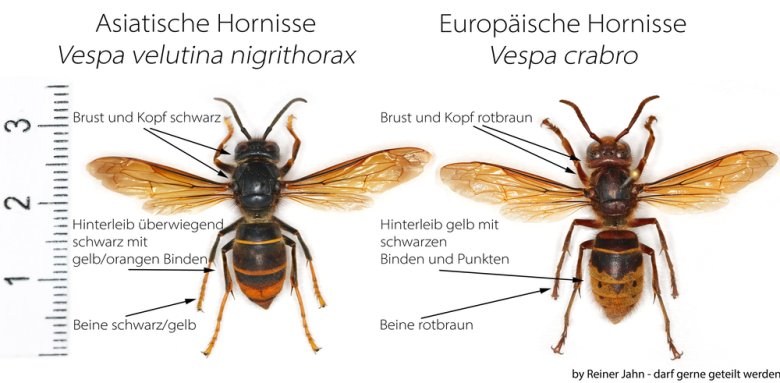 © Reiner JahnComparison of the Asian hornet and the European hornet.
Found a nest—what should you do?
Since the spring of 2025, the Asian hornet has been classified as an established invasive alien species. As a result, nature conservation authorities are no longer required to remove the nests of this species. Control measures are now carried out by nature conservation authorities only after assessing whether nature conservation interests are at risk—for example, if, in a specific case, high-quality habitats or protected (rare) species are endangered, or if there is an adverse impact on biodiversity.
If a nest of Asian hornets is discovered in a public place—for example, near preschools or schools—the relevant public order office, as the authority responsible for hazard mitigation, must be notified.
If you find a nest in your personal living space—for example, in your yard, on a building, under the roof, on the balcony, or in a roller shutter box—you must arrange for the nest to be removed on your own and, therefore, cover the costs of nest removal.
Report Sightings
Reports of the Asian hornet should be submitted via the online reporting portal of the Hessian State Office for Nature Conservation, Environment, and Geology (HLNUG). Important: Reports can only be submitted with a photo. Reports without a photo cannot be verified. Sightings reported with a photo are entered into a database and are used to document the species’ distribution and for monitoring purposes.
HLNUG Wasp and Hornet Consultant
Reiner
Jahn, Cell: 0172
6905819vespavelutina@reiners-honig.de